
Written by the GKFTII Academic Content Team, in collaboration with School of Film & Television faculty
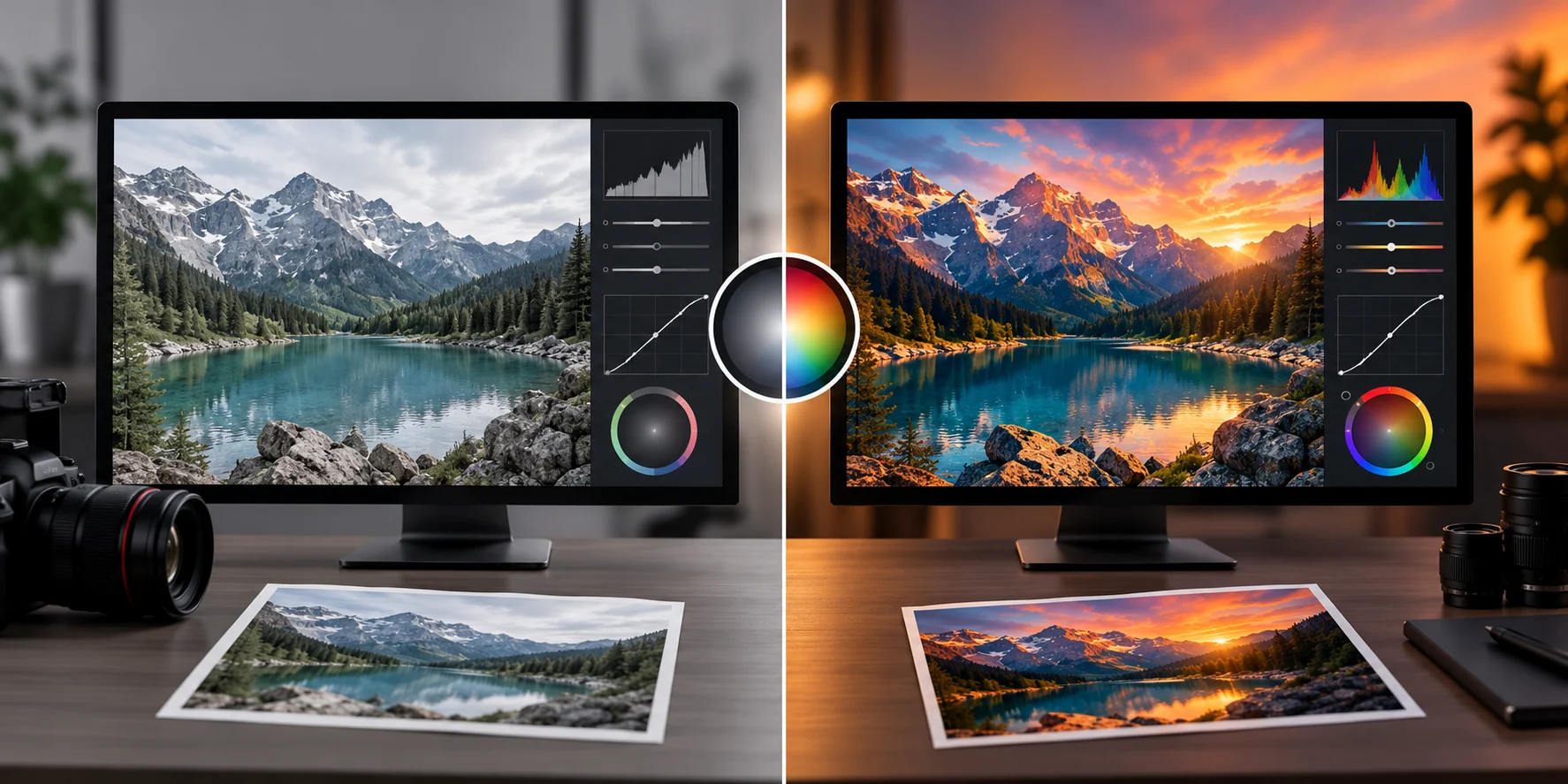
Watch any raw, unedited footage next to its finished version, and the gap is almost always color — flat, slightly off white balance on one side, a deliberate, polished look on the other. But "fixing the color" actually covers two very different jobs that get lumped together constantly. Anyone serious about post-production — and this is usually the first real distinction taught in a color grading course — needs to separate them early, because they solve different problems, require different software skills, and happen in a different order entirely.
Color correction is the technical fix: making sure skin tones look natural, white balance is consistent across every shot, and exposure matches from one angle to the next within the same scene. It's a problem-solving step, not a creative one — if shot A was filmed in shade and shot B in direct sun, correction is what makes them look like they belong in the same conversation. Skip this step and no amount of stylish grading later will hide the mismatch; it'll just make an inconsistent base look stylized and inconsistent, the way a filter applied to two mismatched photos still leaves them looking like they were taken in different places.
Once every shot matches technically, grading is the creative pass — pushing the whole project toward a specific look. A thriller might get desaturated, cooler shadows; a coming-of-age drama might lean warm and slightly soft. This is where a colorist makes deliberate choices that have nothing to do with "accuracy" and everything to do with how the audience should feel watching a given scene.
In a real post-production workflow, this distinction shows up as literal node structure inside grading software like DaVinci Resolve — a corrector node handles the technical fix first, and only after that does a separate node (or chain of nodes, built using serial, parallel, layer, or compound structures) apply the creative grade on top. Understanding why those node types exist — and why grading happens after correction in the chain, not before — is what separates someone who can technically push sliders from someone who actually understands the pipeline, and it's the difference that shows up immediately when a colorist has to fix someone else's unfinished project.
Next time you're watching something and a scene looks deliberately blue-tinted or unusually warm, that's grading. If two shots in the same scene look like they were filmed in different rooms even though they weren't supposed to be, that's a correction problem nobody caught. Once you start noticing the difference, you'll see both — done well and done badly — constantly, in everything from streaming shows to amateur YouTube uploads.
A student who only learns grading without first mastering correction will produce footage that looks "stylized" in a way that's really just inconsistent and dressed up. A student who only learns correction will be technically clean but visually flat, with no sense of how color choices shape an audience's emotional read. Real editing training builds both in sequence — correction as a discipline, grading as a creative tool layered on top of it once the technical foundation is solid, the same way a painter learns to mix a clean base color before ever attempting a deliberate, stylized palette.
This is exactly the kind of distinction that's hard to learn from tutorials alone, since most online guides jump straight to stylized looks without ever explaining the correction work that has to happen first.
If you're comparing options for a color grading course, check whether the curriculum actually teaches node-based correction and compositing structure before moving into creative grading — that sequencing is what determines whether a graduate can fix a real production's footage, not just apply a preset to a single clip and call it finished.
Node trees, DaVinci Resolve, and the correction-then-grading workflow covered above are exactly what's taught in GKFTII's 6-Month Video Editing & Sound Recording course — not a single afternoon spent on presets.